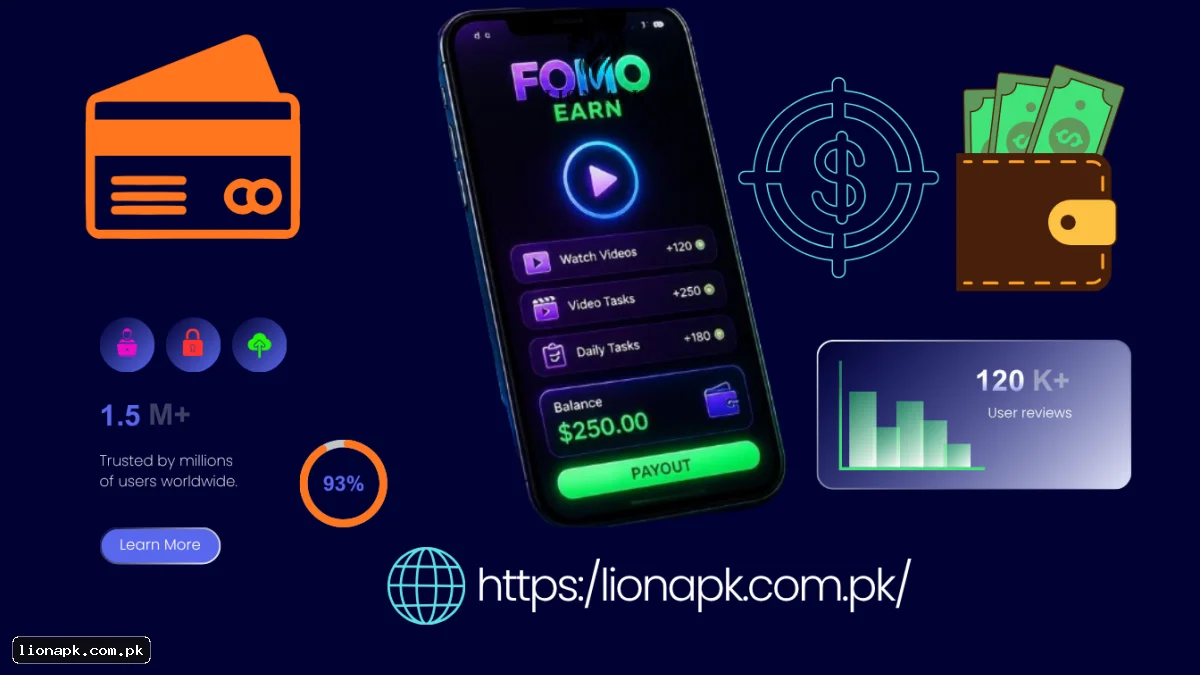
What Is Fomo Earn App Money?
Fomo Earn app money refers to the small rewards users can collect by completing listed video tasks on Android. The official FomoEarn platform allows people to watch short videos, finish automated playback sessions, and receive credit in their account balance.
The service is designed for users who want to earn money online using their mobile device. It is not a traditional job or a guaranteed salary. Earnings depend on available tasks, daily limits, active boosts, and referral activity.
According to the official website, users can finish listed video tasks on Android, credit posts to their account, and withdraw when the balance reaches $0.01.fomoearn
The official Android app can be downloaded from FomoEarn.com/android. Users should avoid unofficial websites that offer modified applications or unrealistic earning promises.
How Does the Fomo Earn App Work?
FomoEarn connects advertisers with users who watch approved video content. Advertisers pay for completed views, and the platform shares part of this revenue with viewers.
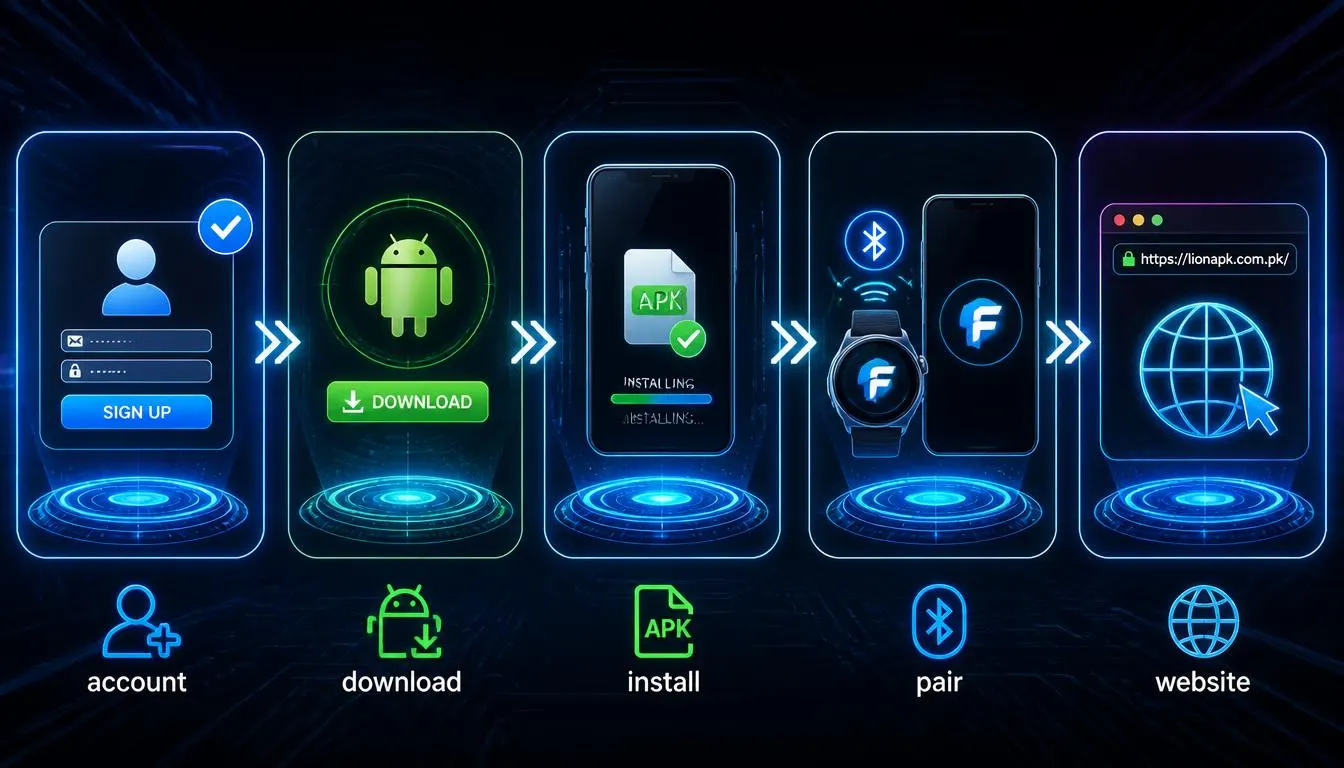
The basic process is simple:
-
Visit the official FomoEarn website.
-
Create an account using email or Google.
-
Download the official Android app.
-
Install the APK and enable required permissions.
-
Sign in and pair your device if needed.
-
Start listed video tasks in the app.
-
Allow automated playback to complete views.
-
Watch your balance increase after credited tasks.
The app supports hands-free playback and continuous task progression. It can switch videos automatically and submit completion tokens without extra taps.
Read the user agreement before starting. Using VPNs, emulators, unofficial bots, or multiple accounts is prohibited and can lead to account bans.
How to Start Earning with Fomo Earn App
New users should first register an account on the official website. After registration, download the official Android APK from the Android page.
Follow these steps for setup:
-
Download the FomoEarn APK (v6.1.1).
-
Allow installation from unknown sources if required.
-
Open the app and grant Accessibility permissions.
-
Enable Display over other apps if requested.
-
Sign in using email, Google, or QR pairing.
-
Keep the phone powered and awake during tasks.
The app requires Android 8.0 (Oreo) or newer. No root access is needed.
Complete tasks consistently but honestly. Do not use automation tools outside the official app. Violating the rules can result in loss of credited balance.
What Types of Tasks Are Available?
FomoEarn focuses mainly on video-based activities. The available tasks may include:
Listed video tasks
These are short videos that must be watched completely or for a specified duration. Each task shows its own credit value.
Automated playback sessions
The app can advance through video queues automatically. This allows hands-free viewing while the phone remains active.
Daily view limits
Users may have a daily cap on how many tasks they can complete. The exact limit depends on account status and available offers.
Boost activities
Boosts can increase earnings by spending in-app coins. These do not require card deposits but use internal currency.
Task availability can vary by country, device, and advertiser demand. Some regions may see more offers than others.

How to Get Fomo Earn App Bonus?
FomoEarn provides several ways to increase earnings beyond basic video tasks.
Referral program
You can invite other users through your referral link. Referral shares may contribute to your total credit depending on their activity.
Boost system
Boosts allow users to spend in-app coins for higher rewards. These boosts use internal currency instead of real-money deposits.
Daily activity
Consistent daily viewing may improve your overall earnings. The platform does not publish a fixed daily figure, but active users generally receive more tasks.
For successful bonus participation:
-
Check the dashboard regularly for new offers.
-
Read boost requirements before activating them.
-
Invite genuine referrals who complete tasks.
-
Avoid artificial or automated activity outside the app.
-
Follow all terms to prevent account restrictions.
Bonuses are not guaranteed. They depend on available campaigns and your account standing.
What Currency Is Income Earned In?
FomoEarn displays earnings and processes withdrawals in United States dollars (USD). The official FAQ states that withdrawals are requested in USD with a $0.01 minimum on every method.
If you live in Pakistan or another country, your payment provider may convert USD into your local currency. The final amount can depend on exchange rates and service charges.
Before selecting a payment option, review:
-
Currency conversion rates.
-
Processing fees.
-
Account verification requirements.
-
Local availability.
-
Minimum transfer rules.
What Is the Minimum Withdrawal Amount?
The current minimum withdrawal amount on FomoEarn is $0.01 USD on every supported method. This low threshold allows users to request payouts even with small balances.
According to the official terms, requests are processed within 72 hours. There is no FomoEarn withdrawal fee, so you receive the amount you request.
Always enter the correct withdrawal address. A wrong address cannot be reversed, and funds may be lost permanently.
How to Withdraw Money from Fomo Earn App?
FomoEarn uses a manual withdrawal request system. Users must open the Payouts section after signing in and submit a withdrawal request.
Follow these steps:
-
Sign in to your FomoEarn account.
-
Open the Payouts or Wallet section.
-
Select your preferred withdrawal method.
-
Enter the amount you want to withdraw.
-
Provide the correct withdrawal address or details.
-
Submit the request.
-
Wait for processing (up to 72 hours).
Some requests may be reviewed before approval. Ensure your account complies with all terms to avoid delays.
Which Payment Methods Are Available?
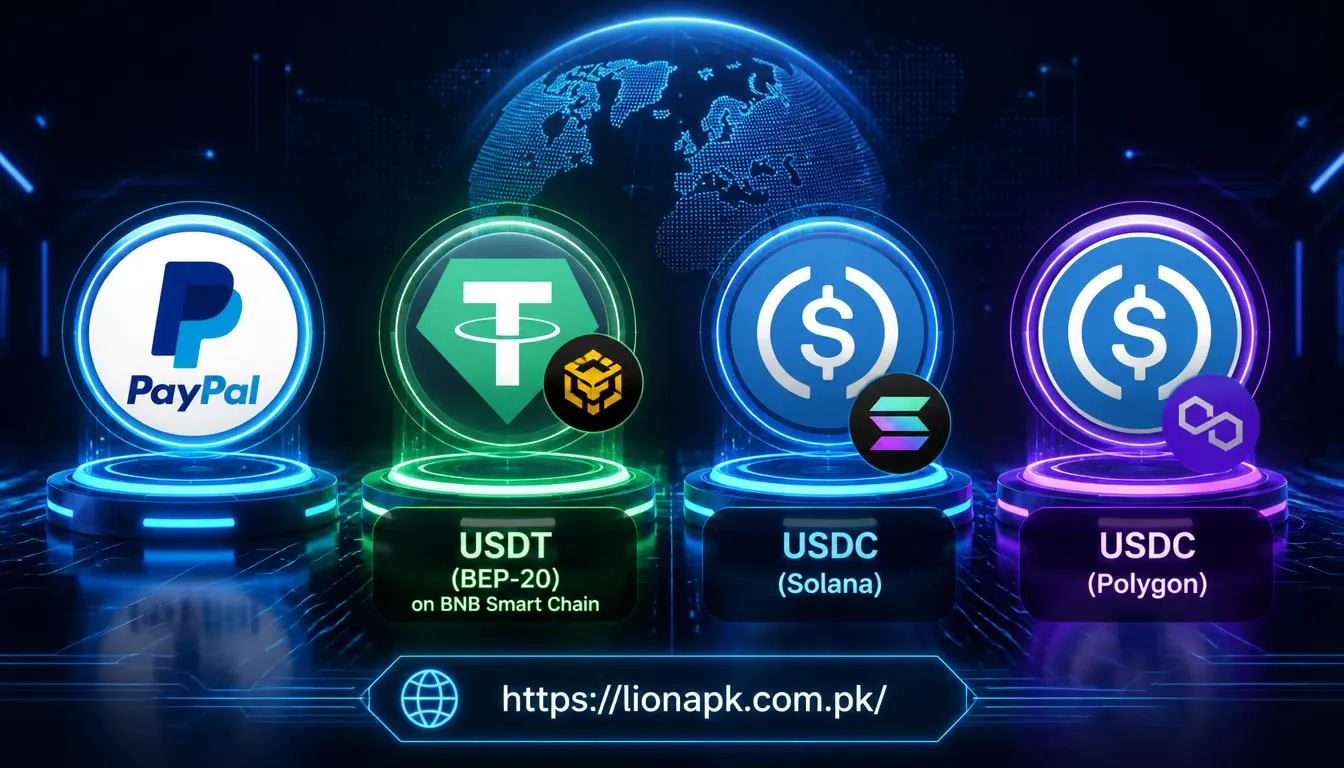
FomoEarn currently supports several withdrawal systems, including:
-
PayPal (email address).
-
USDT (BEP-20) on BNB Smart Chain.
-
USDC (Solana).
-
USDC (Polygon).
-
TRON (TRX).
-
Telegram Stars (Telegram username).
The minimum payout is $0.01 on every method. There is no FomoEarn withdrawal fee.
Can Pakistani users withdraw through JazzCash?
JazzCash is not listed among the available payment methods on the official FomoEarn website. Pakistani users should check whether PayPal, USDT, TRX, or Telegram Stars is accessible in their region.
Do not enter JazzCash details unless FomoEarn specifically displays JazzCash as an option. If you use a crypto wallet, review network requirements and withdrawal rules carefully.
You can also explore online earning guides and useful app information for general digital earning advice. These links are independent resources and do not replace official FomoEarn support.
Is Fomo Earn App Free to Download?
Yes, the FomoEarn Android app is free to download. Users can obtain the official APK directly from the FomoEarn website without paying a membership.
Some boosts may require in-app coins, but these are earned within the platform. No card deposit is needed to start using the service.
Always download the app from the official source. Avoid third-party websites that offer modified versions or unrealistic earning claims.
Main Fomo Earn App Features
Important platform features include:
-
Free Android app download.
-
Automated video playback.
-
Listed video tasks with individual credit.
-
Low $0.01 minimum withdrawal.
-
Multiple crypto and digital payment options.
-
No FomoEarn withdrawal fee.
-
Referral program for extra earnings.
-
Boost system using in-app coins.
-
72-hour processing window for payouts.
-
Official support and user agreement.
The app supports Android 8.0 and newer devices without root access.
Safety and Earning Tips
Follow these practices to protect your account:
-
Use only one genuine account per device.
-
Do not use VPNs or IP-changing tools.
-
Avoid emulators and unofficial automation.
-
Keep your login details private.
-
Read task instructions before starting.
-
Verify withdrawal addresses carefully.
-
Contact official support for missing credits.
-
Follow all terms in the user agreement.
FomoEarn should be treated as a side-income platform. Earnings are not guaranteed and can vary daily.
Final Fomo Earn App Review
Fomo Earn app money opportunities allow users to complete video tasks, receive credit, and withdraw through PayPal, USDT, TRX, and Telegram Stars. The platform uses USD, has a $0.01 minimum withdrawal, and processes payouts within 72 hours.
JazzCash may not be directly supported, so Pakistani users should check available options in their account. For the best experience, use the official Android app, follow all rules, and avoid unofficial downloads.