Do you want to make your phone look brand new without spending any money? Changing your iPhone wallpaper is the easiest way to do it. We look at our mobile screens hundreds of times every single day. A beautiful background can instantly boost your mood. Whether you want a dark mode design, a bright nature shot, or a cool abstract pattern, finding the perfect iPhone wallpaper is fun and easy. This complete guide will show you how to find, download, and set the best custom wallpapers for your screen. Let us explore how to give your phone a fresh new look today.
Many people ignore their digital backgrounds. However, updating your screen is like painting your room a new color. It brings fresh energy. Every time you unlock your device, a great picture can make you smile. It takes only a few minutes, but the positive feeling lasts all day.
Why Your iOS Home Screen Matters
Your smartphone is your most personal device. It holds your photos, your messages, and your favorite apps. Therefore, your digital space should match your unique personality. Using the default background is fine, but customizing it makes the phone truly yours.
A great iPhone wallpaper does more than just look pretty. A smart background choice genuinely improves how you interact with your device. For example, a dark background can make your bright app icons pop out. This helps you find your favorite apps much faster. A clean, simple image can also make your screen look less messy. It brings a sense of calm to your busy digital life.
Picking the right image also stops your eyes from getting tired. If your screen is too bright or heavily cluttered with loud patterns, it becomes very hard to read your app names. A soft, clear photo keeps everything easy to read. This is especially helpful if you spend many hours looking at your screen for work or school.

How to Choose the Right Colors for Your Screen
Colors play a massive role in how we feel. When picking an iPhone wallpaper, think about your daily habits. Do you use your phone a lot at night? If so, you should pick dark, moody colors. Dark blue, black, or deep purple backgrounds are gentle on the eyes in dark rooms. They also help save battery life on modern phone screens.
On the other hand, bright colors are great for the daytime. Yellow, light blue, and crisp white backgrounds make your phone feel awake and lively. Soft pastel colors are also very trendy right now. They offer a clean, modern look that does not distract you from your incoming text messages and alerts. Try to match your screen colors to your personal style and daily routine.
Where to Download iPhone Backgrounds
Finding high-quality images for your phone is very easy. The internet is full of amazing artists and photographers who share their work for free. The trick is simply knowing the best places to search for them.
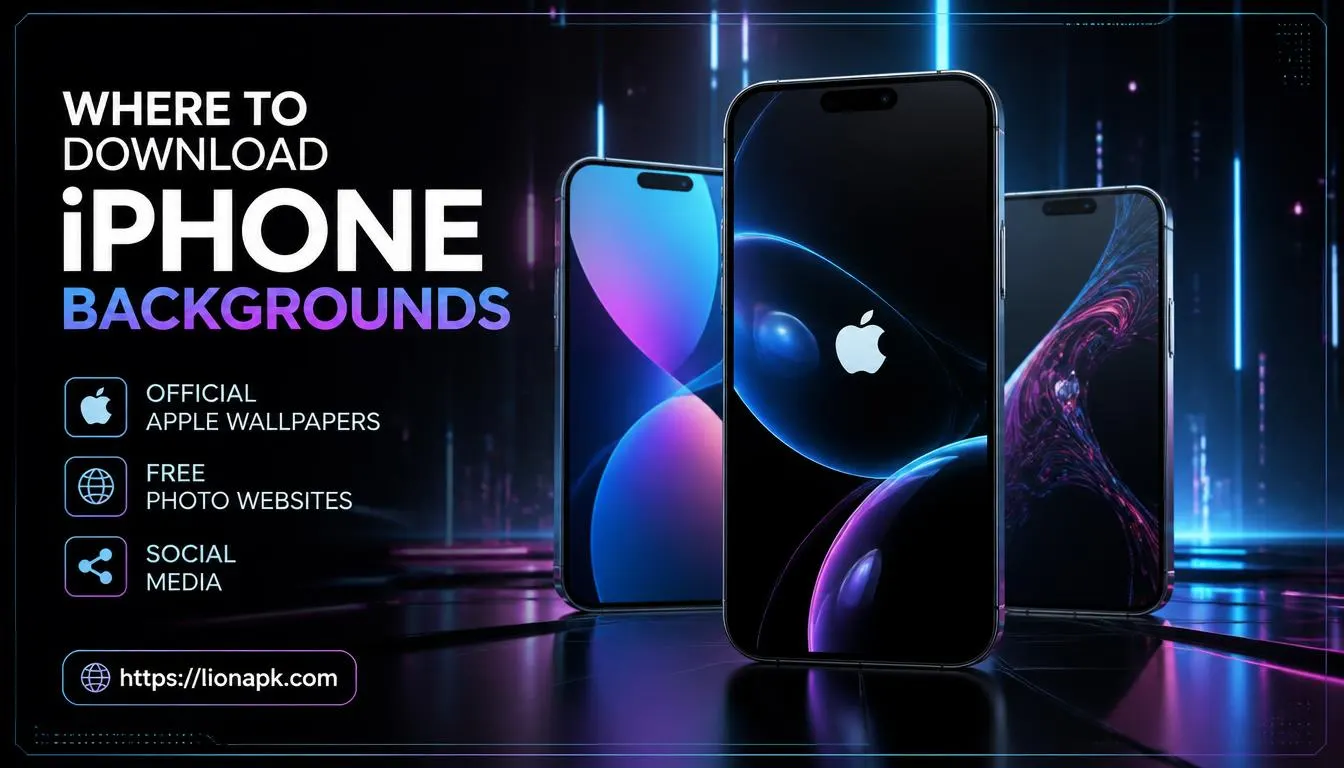
Here are the best places to find stunning mobile backgrounds:
-
Official Apple Wallpapers: Your phone already comes with a great selection of pre-loaded images. Apple updates these with every major iOS update.
-
Free Photo Websites: High-quality image sites are fantastic resources. For example, you can visit Unsplash for thousands of free, high-resolution photos that fit your screen perfectly.
-
Social Media: Platforms like Pinterest and Twitter have massive communities dedicated to custom wallpapers. You can search for specific themes like "vintage cars" or "neon lights."
There are also huge online forums where users share their creations. You can join groups dedicated to mobile art. People love to share their favorite aesthetic backgrounds. You can save hundreds of pictures to build your own private collection of amazing artwork.
Creating Your Own Custom Pictures
You do not have to rely only on images from the internet. You can easily create your very own iPhone wallpaper. The cameras on modern smartphones take incredible, high-quality photos. The next time you go for a walk, take a picture of a beautiful tree, a sunset, or your pet.
You can use your favorite family memories as your background. Looking at a picture of your loved ones or your dog is a great way to stay happy during a busy workday. You can even use free editing apps to add cool filters to your photos. This makes your personal pictures look like professional artwork. Your phone will look one hundred percent unique because nobody else in the world will have that exact same image.
How to Set a New iPhone Wallpaper
Once you find an image you love, applying it to your screen takes only a few seconds. Apple has made this process incredibly user-friendly in recent updates.
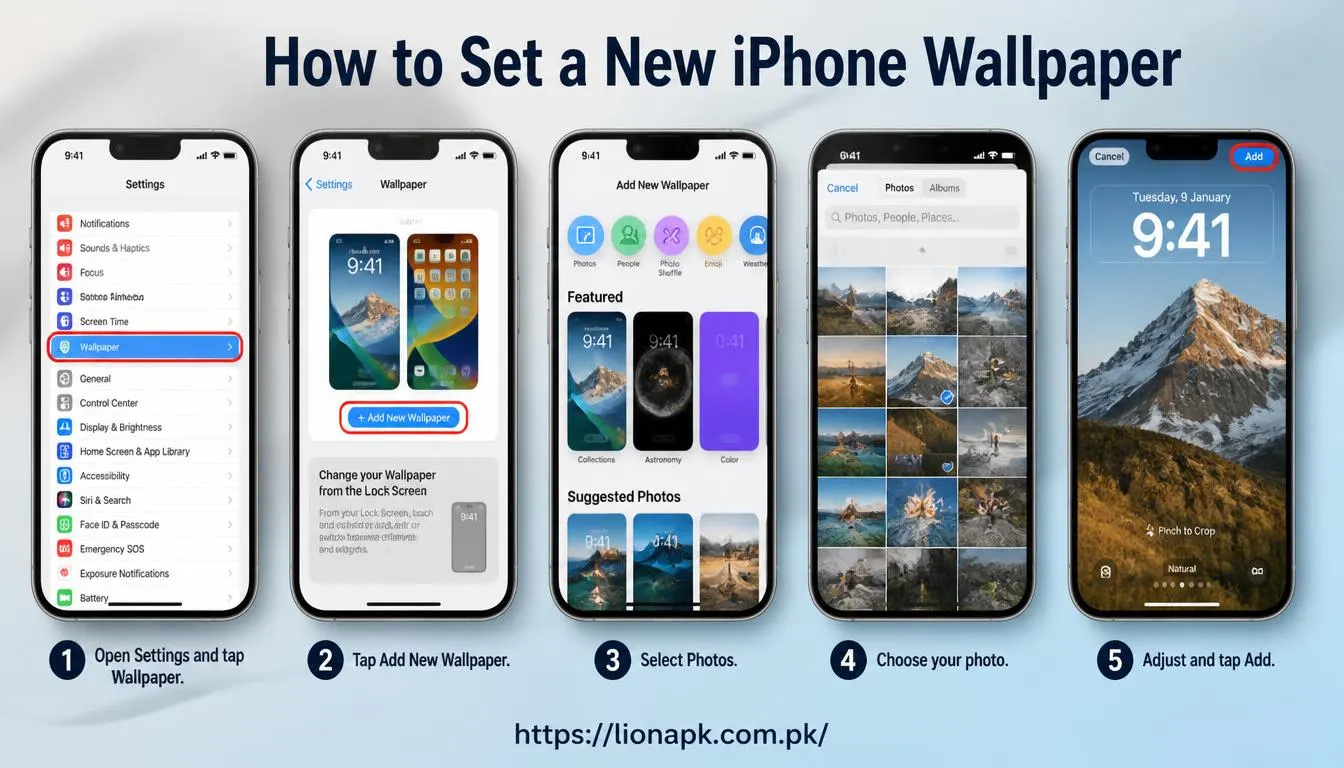
Use these straightforward instructions to apply a fresh picture:
-
Open the Settings app on your phone.
-
Scroll down and tap on Wallpaper.
-
Tap on the Add New Wallpaper button.
-
Choose Photos to select a picture you saved from the internet.
-
Pinch your fingers on the screen to zoom in or out. Drag the image to perfectly center it.
-
Tap Add in the top right corner.
-
Choose if you want to set it as a wallpaper pair (for both the lock screen and home screen) or customize them separately.
Remember that you can always change it back. Do not be afraid to test out five or six different pictures. Sometimes, an image looks great in your photo gallery but looks bad behind your app icons. Test a few out to see what feels best.
Exploring Custom Wallpapers and Features
Recent Apple software upgrades have brought incredible new tricks for customizing your display. You are no longer limited to just a static picture.
Users now have the ability to turn on the awesome 3D depth option. This smart tool puts the subject of your photo slightly in front of the digital clock on your lock screen. It creates a stunning 3D look. You can also create a "Photo Shuffle." This feature automatically changes your iPhone wallpaper every hour or every day using pictures from your gallery. It keeps your phone looking fresh without any extra effort.
You can also link certain pictures to your "Focus Modes." For example, you can have a calm nature picture show up during your working hours. Then, when it is time to relax for the evening, your phone can automatically switch to a fun picture of your friends. It makes your phone feel incredibly smart and helpful.
Staying Safe While Downloading Files
It is very important to stay safe when you search the internet for new media. Most picture websites are perfectly safe. However, you should avoid clicking on suspicious pop-up ads that promise "free premium wallpaper apps."
Many people use both Apple and Android devices in their homes. If you want to customize your other devices, you must be careful where you download customization software. You should always get your tools from a safe and trusted Android APK portal. Downloading files from unknown, random websites can put dangerous viruses on your device. Always use a secure mobile app download site to ensure your family's phones stay clean, fast, and totally secure.
Digital safety should always come first. A bad file can slow down your device or steal your private data. By sticking to known, popular websites for your images and software, you protect your valuable hardware. Trust your gut. If a download site looks sketchy, leave it and find your pictures somewhere else.
Conclusion
Upgrading your iPhone wallpaper is the fastest way to upgrade your mobile experience. It is a completely free way to express your style and organize your digital life. You can choose a relaxing beach photo, a picture of your family, or a sleek dark pattern. The choice is entirely yours. Take a few minutes today to browse for some new images. Use the straightforward tips provided above to instantly breathe new life into your display. A simple change of scenery can make your older phone feel shiny and brand new all over again. Do not settle for a boring, default screen. Make your digital space a place that makes you feel good. Have fun exploring different art styles, testing out new colors, and making your smartphone truly yours.