QR & Barcode Scanner
Get this app from Google Play Store for automatic updates & security. Use APK if Play Store is unavailable in your region or you need an older version.
Screenshots
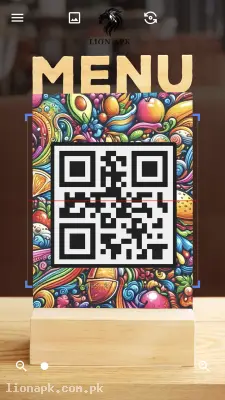
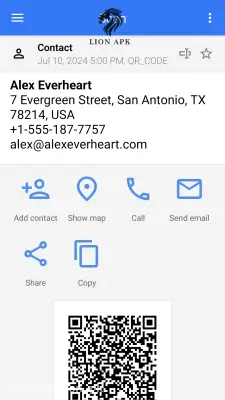
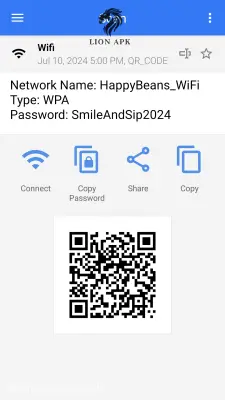
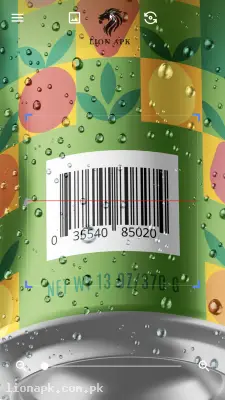
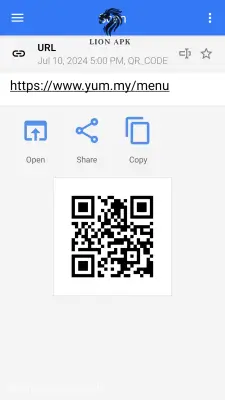
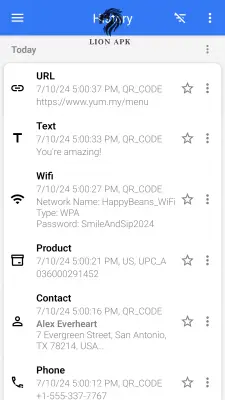
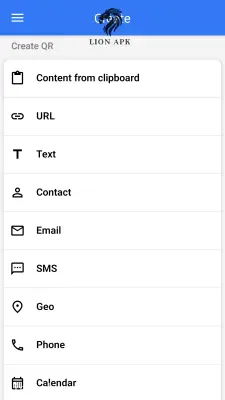
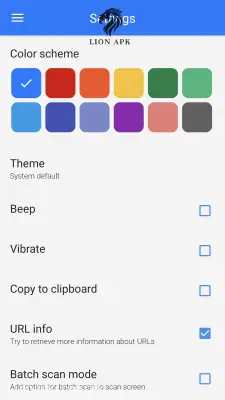
Screenshots from Google Play
More in Tools
View all →



Top Downloads in Tools
See all →


About this app
QR Code Scanner APK Download (Latest Version) – Fast Barcode Reader & Generator
Are you looking for an instant, reliable utility to scan product barcodes, open website URLs, connect to Wi-Fi networks, or verify digital payment menus directly on your phone? Older Android cameras or default system tools often fail to auto-focus on small, blurry, or low-light QR codes, forcing you to type long web addresses manually. Furthermore, opening heavy browser pages to scan web-based codes can consume unnecessary mobile data on your Jazz, Zong, or Telenor 4G packages during sudden network drops or power outages (load shedding).
Downloading a dedicated QR code scanner app is the ultimate lightweight solution for fast, one-tap scanning on any Android smartphone. A high-performance QR code scanner allows you to instantly decode URLs, Wi-Fi passwords, contact cards, product prices, and promotional coupons using your device's camera or saved gallery photos. Equipped with auto-zoom capabilities, built-in flashlight support, and offline scan history, installing a QR code scanner app ensures hassle-free utility anywhere you go. Get the latest QR code scanner APK today and streamline your daily mobile tasks!
Here are the amazing features you will enjoy:
-
Lightning-Fast Scanning & Auto-Zoom: Point your camera at any code to automatically detect, zoom, and decode QR codes and barcodes within milliseconds—even from a distance or at sharp angles.
-
All-in-One Format Support: Seamlessly read all standard 1D and 2D code formats, including QR Code, Data Matrix, UPC, EAN, Code 39, Code 93, and Codabar.
-
Scan from Image Gallery: Easily import screenshots, digital tickets, or saved photo files directly from your phone's gallery to extract links and text without needing a second screen.
-
Built-in Flashlight Support: Easily activate the integrated LED torch toggle to scan menus, product packaging, or receipts in dark or low-light environments.
-
Custom QR Code Generator: Create custom QR codes for personal Wi-Fi networks, phone contacts, text messages, social media profiles, and website links to share with friends instantly.
-
Scan History & Quick Actions: Automatically save previous scan results in a clean history log so you can revisit saved links, copy text, or share information anytime.
Why Choose QR Code Scanner? (Pros & Benefits)
-
100% Privacy Safe: Requires minimal permissions (only basic camera access) without accessing your private personal files or background location.
-
Full Offline Capability: Scan product barcodes, stored text, and Wi-Fi credentials completely offline without needing an active internet connection.
-
Smooth Performance on Budget Phones: Optimized with an ultra-small file footprint to run fluidly without battery drain or device lag on budget Android smartphones (such as Infinix, Tecno, Redmi, and Samsung Galaxy models).
-
Price Comparison & Deal Finder: Quickly scan product retail barcodes while shopping in markets to compare prices online or unlock exclusive promotional discount coupons.
Final Thoughts
Whether you need to quickly join Wi-Fi networks without entering complex passwords, verify digital payments, or compare product prices while shopping, completing a QR code scanner app download provides the speed and privacy you need. Install the latest QR code scanner today and turn your camera into a versatile digital reader!