VLC
Get this app from Google Play Store for automatic updates & security. Use APK if Play Store is unavailable in your region or you need an older version.
Screenshots
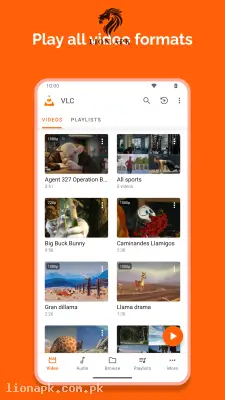
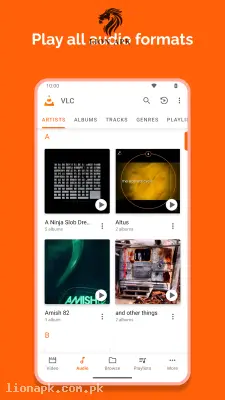
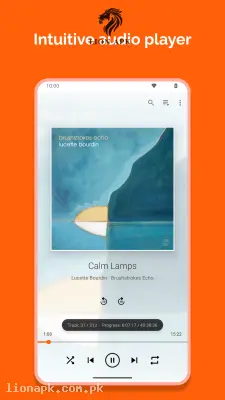
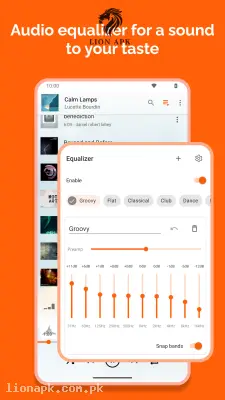
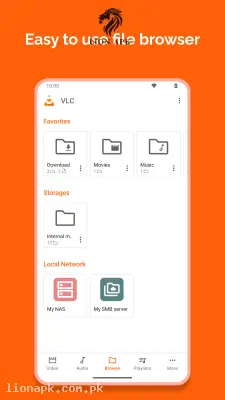
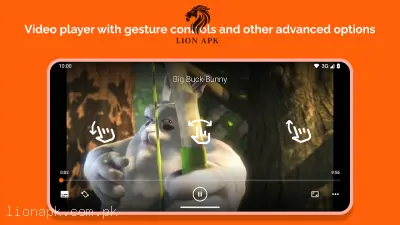
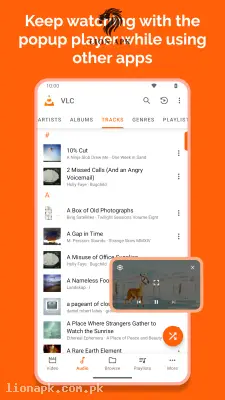
Screenshots from Google Play
More in Tools
View all →



Top Downloads in Tools
See all →

About this app
VLC APK Download (Latest Version) – Free Open-Source Media Player for Android
Are you tired of encountering video playback errors, missing audio codecs, or annoying ad pop-ups while trying to play high-definition movies on your smartphone? Playing MKV, AVI, or FLAC files on standard Android video players often leads to black screens, audio desync, or demands for costly codec downloads. Furthermore, online streaming or downloading heavy video files can quickly consume your Jazz, Zong, or Telenor 4G mobile data bundle during local power cuts (load shedding).
Executing a VLC APK download is the ultimate solution for high-performance media playback. VLC for Android is a completely free, open-source multimedia player that plays virtually any video and audio format without requiring external plugins or codecs. Whether you need to watch high-bitrate 4K movies, stream content across your home Wi-Fi network, or listen to high-fidelity music, getting the official VLC APK guarantees smooth, ad-free entertainment on your mobile device. Initiate your download vlc process today to unlock a seamless cinema experience!
Here are the amazing features you will enjoy:
-
Universal File & Codec Compatibility: Play every major video and audio format out of the box—including MKV, MP4, AVI, MOV, Ogg, FLAC, TS, AAC, and DVD ISO files—without downloading extra codec packs.
-
Intuitive Gesture Controls: Seamlessly adjust screen brightness by swiping up/down on the left, control sound volume on the right, and double-tap to seek forward or backward.
-
Built-in Online Subtitle Downloader: Automatically search and download multi-language subtitle files directly within the player interface without leaving your video.
-
Network Streaming & NAS Support: Stream media files directly from local home networks, SMB shares, UPnP/DLNA servers, or direct network URLs.
-
Picture-in-Picture (PiP) & Background Audio: Keep watching your videos in a compact floating window while using other apps, or switch to audio-only mode with the screen turned off to save battery life.
-
Advanced Audio Equalizer: Fine-tune sound frequency bands and apply custom audio presets for headphones or external Bluetooth speakers.
Why Choose VLC? (Pros & Benefits)
-
100% Free with Zero Advertisements: Enjoy full, unrestricted media playback without banner ads, pop-up interruptions, or hidden in-app purchases.
-
Smooth Hardware Acceleration: Takes full advantage of your phone’s GPU hardware acceleration to decode heavy 1080p and 4K videos without causing battery drain or processor overheating.
-
Optimized for Budget Smartphones: Runs lightweight and fast on entry-level Android devices (such as Infinix, Tecno, Redmi, and Samsung Galaxy A-series) with minimal RAM usage.
-
Full Offline Playback: Complete your VLC download over home Wi-Fi (PTCL, StormFiber, etc.) and watch all your offline movies anywhere without an active internet connection.
Final Thoughts
Whether you are looking for a reliable video player for high-definition movies, a full-featured audio player with equalizers, or an easy way to stream videos over home networks, performing a VLC download is the best choice for your device. Get the official VLC APK package today and experience unmatched media performance!