CamScanner
Get this app from Google Play Store for automatic updates & security. Use APK if Play Store is unavailable in your region or you need an older version.
Screenshots
Screenshots from Google Play
More in Tools
View all →



Top Downloads in Tools
See all →




About this app
We all know the frustrating struggle of suddenly needing to send a highly important physical document—like a handwritten coding layout, a signed contract, or an ID card—when there is absolutely no hardware scanner around. Trying to take a regular photo of a piece of paper with your phone usually results in dark shadows, blurry text, and a highly unprofessional look. Whether you are managing professional digital projects, sketching out app modifications, or just trying to submit official paperwork, you need a way to digitize physical documents flawlessly. CamScanner completely solves this problem by turning your smartphone camera into a high-powered, professional digital scanning machine.
Quick Answer: What is the CamScanner App?
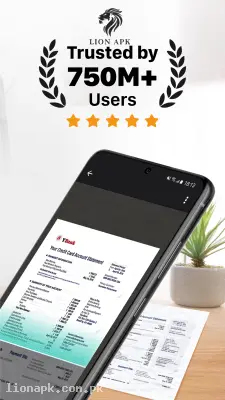
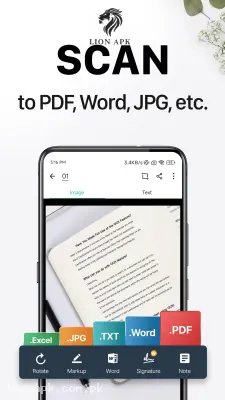
CamScanner is a globally recognized productivity application that uses your mobile device's camera to scan physical documents. It uses advanced algorithms to automatically crop the edges of the paper, enhances the text to make it perfectly sharp and readable, and converts the raw image into a clean, professional PDF or JPEG file. You can then instantly share these digitized documents via email or your favorite messaging apps.
Why You Need This App Today
In our busy daily routines, dealing with physical paperwork slows everything down. If your workflow involves managing the backend of active platforms like lionapk.com.pk, you might frequently sketch out website layouts or jot down specific Smali code modifications on a physical notepad. You need this application because it instantly digitizes those physical notes into clean, searchable PDF files that you can store securely on your device.
Furthermore, if you are acting as the tech support for a family member using a budget device like an Infinix Hot 40i, you can use this app to quickly scan and submit their university assignments or official ID documents without ever needing to find a local print shop. It is an absolute daily necessity that instantly upgrades your productivity, saves you money on scanning fees, and ensures your digital paperwork always looks 100% professional.
Top Features of the CamScanner Application
This application completely dominates the productivity category because it produces PC-level document scans using just a basic mobile camera. Here are the amazing features you will enjoy:
-
Smart Auto-Cropping: You do not need to take the picture perfectly straight. The app automatically detects the borders of your paper, even at a weird angle, and flattens the image out perfectly.
-
Magic Color Enhancement: Say goodbye to dark shadows from your room's lighting. The app cleans up the background and sharpens the ink, making handwritten notes or printed documents look like they came straight out of a real office scanner.
-
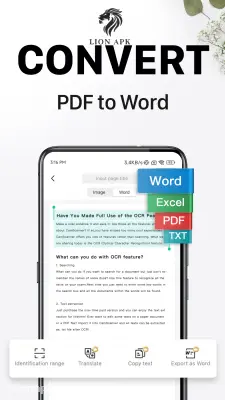
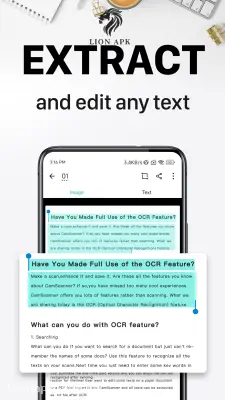
Optical Character Recognition (OCR): This is a massive timesaver. You can scan a physical book page, and the app will intelligently extract the text, allowing you to copy, paste, and edit the actual words directly on your phone.
-
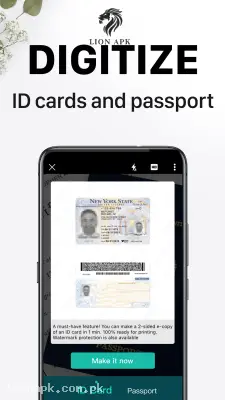
ID Card Maker Mode: A dedicated scanning mode that perfectly aligns both the front and back of physical ID cards onto a single, easily printable digital A4 page.
-
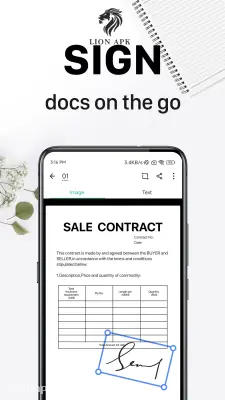
Digital E-Signatures: You never have to print a contract just to sign it again. You can scan your physical signature once, save it in the app, and easily stamp it onto any digital PDF document right from your screen.
How to Use CamScanner (Step-by-Step)
Digitizing your physical paperwork takes less than a minute. Follow these simple steps to create your first professional PDF:
-
Install and Launch: After downloading the app, launch it directly from your mobile home screen.
-
Grant Camera Permissions: The app will politely request access to your device's camera and storage. Tap "Allow" so it can successfully take pictures and save the PDFs.
-
Scan the Document: Tap the massive floating Camera icon at the bottom right. Hold your phone steadily over the physical paper and tap the shutter button.
-
Adjust and Enhance: The app will automatically place green borders around the document. Adjust them if needed, then tap the checkmark. Choose the "Magic Color" filter to instantly brighten the text.
-
Save and Share: Tap the checkmark again to save the scan. You can now tap the "PDF" icon at the top of the screen to convert the file and instantly share it via email or messaging apps!
Pros and Cons of the App
Pros:
-
Incredibly accurate edge detection and image enhancement that makes even bad smartphone cameras look professional.
-
The OCR text extraction feature is highly accurate and saves hours of manual typing.
-
Extremely easy to organize your scans into custom digital folders directly inside the app.
-
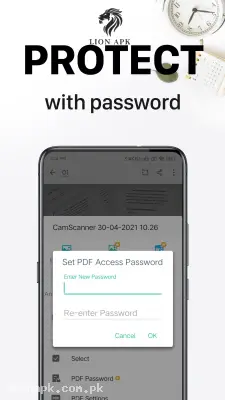
Allows you to securely lock highly confidential scanned documents with a PIN code.
Cons:
-
The free version of the application places a small "Scanned with CamScanner" watermark at the bottom right corner of your exported PDF files.
-
Navigating the main dashboard can sometimes feel slightly cluttered due to banner advertisements in the free tier.
Conclusion
CamScanner is an absolute necessity for students, professionals, and anyone who wants to bring their physical paperwork into the digital age. It completely changes how you manage documents by putting the power of a bulky, expensive office scanner right into your pocket. You no longer have to worry about losing important physical receipts or submitting blurry photos of official IDs. Download the safe application today, snap a picture, and experience the ultimate convenience of instant digital scanning!