ZArchiver
Get this app from Google Play Store for automatic updates & security. Use APK if Play Store is unavailable in your region or you need an older version.
Screenshots
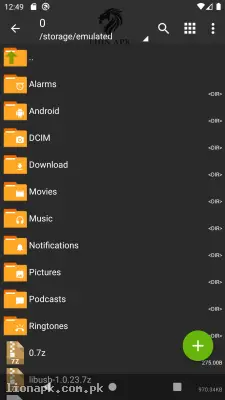
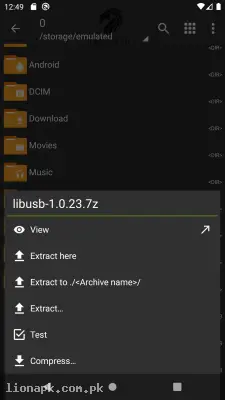
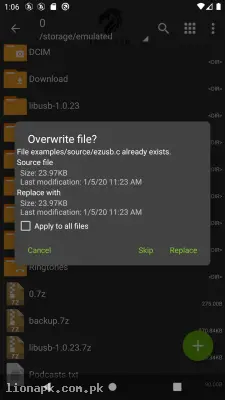
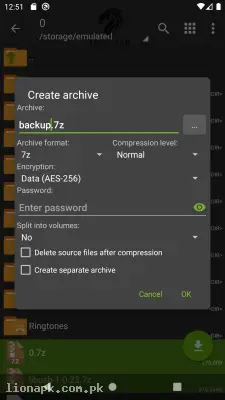
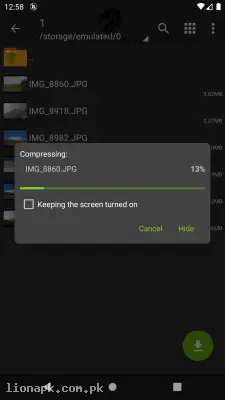
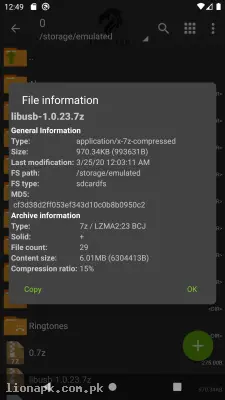
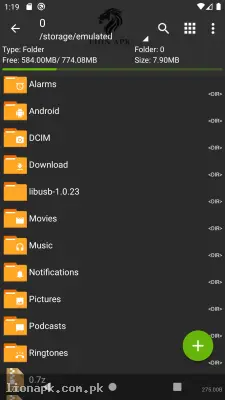
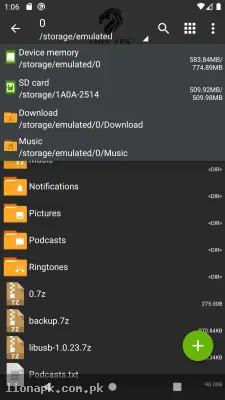
Screenshots from Google Play
More in Tools
View all →



Top Downloads in Tools
See all →




About this app
ZArchiver: The Ultimate File Manager for Extracting Heavy Games and Apps
Have you ever downloaded a massive premium application or an exciting new game, only to find out it is locked inside a strange "ZIP" or "RAR" file format that your phone simply cannot open? The default file managers on most smartphones are incredibly basic. ZArchiver is the ultimate utility application that completely solves this frustration. Let us explore why every Android power user and mobile gamer considers this app an absolute necessity.
What is the ZArchiver App?
ZArchiver is a highly specialized, incredibly powerful archive management program for Android devices. In simple terms, it is a tool that allows you to compress large folders into smaller files or extract compressed files back into their normal, usable folders. Whether you have downloaded a compressed document from an email, an OBB data folder for a heavy mobile game, or a multi-part ZIP file from the internet, this application acts as the master key. It reads and unlocks almost every single archive format in existence, organizing your internal mobile storage like a professional computer.
Why You Need This App Today
In our digital lives, we constantly download heavy files from the internet to avoid wasting our mobile data twice. When managing a growing digital platform like lionapk.com.pk, handling compressed APK bundles, zip folders, and large data files is a daily task. The default Android file manager often fails to extract these complex formats properly, leaving you with corrupted files or frustrating error messages.
Furthermore, if you are downloading massive, heavy console-style games or extracting complex mods and OBB data folders to make them work on a smartphone, you absolutely need a dedicated extraction tool. Moving heavy game data into the exact Android/obb folder requires precision. You need this application because it gives you complete, unrestricted access to your phone's deep file system. It completely removes the barrier of "unsupported file format," allowing you to install heavy games, extract massive media folders, and manage your website's digital files effortlessly without ever needing to turn on a laptop.
Top Features of the ZArchiver Application
This application is dominating the utility category because it provides desktop-level file management completely free of charge. Here are the top features you will enjoy when you download the ZArchiver APK:
Universal Format Support: Unlike basic file managers that only understand ZIP files, ZArchiver is a powerhouse. It can effortlessly decompress 7z (7zip), RAR, RAR5, BZIP2, GZIP, XZ, ISO, TAR, and dozens of other highly complex archive formats used across the internet.
Create Compressed Archives: You do not just have to extract files; you can create them too. If you have a folder with hundreds of high-quality pictures and want to send it to a friend without wasting data, the app allows you to compress that entire folder into a single, highly compressed 7z or ZIP file in seconds.
Password Protection and Encryption: If you are storing highly sensitive documents or personal files, the application allows you to create password-protected archives. You can lock your compressed folders with a strong password, ensuring that nobody else can extract or view the contents even if they copy the file to their own device.
Multi-Part Archive Extraction: Sometimes, massive files (like a 4GB game) are split into multiple smaller parts (like part1.rar, part2.rar) to make downloading easier. ZArchiver is smart enough to read all these pieces and stitch them back together into one complete, flawless folder automatically.
Direct Archive Editing: You do not always have to extract an entire 1GB folder just to get one single picture out of it. The app allows you to open an archive, view the files inside, and extract only the specific file you need, saving you massive amounts of time and mobile storage space.
How to Use ZArchiver (Step-by-Step Guide)
Using this powerful tool is incredibly straightforward once you understand the layout. Just follow these easy steps to extract your first game file:
-
Open the Application: After you install the app, launch it on your mobile screen.
-
Grant Storage Permissions: The app will ask for permission to access all files on your device. This is 100% required for the app to function. Tap "Allow."
-
Locate Your File: Scroll through the folders (usually your "Download" folder) to find the ZIP or RAR file you want to extract.
-
Extract the File: Tap once on the compressed file. A menu will pop up. Tap "Extract here" to unpack the files in the current folder, or tap "Extract..." to choose a specific destination like the Android/obb folder.
-
Wait for Completion: A progress bar will appear. Once it reaches 100%, your files are successfully extracted and ready to be used or installed!
Pros and Cons of the App
Pros:
-
Incredibly powerful engine that handles massive files without crashing the app.
-
Completely free to use and, amazingly, it contains zero annoying advertisements.
-
Very lightweight application that uses almost no battery or RAM in the background.
-
Supports advanced password encryption for your personal, private files.
Cons:
-
The user interface looks a bit old-school and technical, which can be slightly confusing for complete beginners.
-
Moving files into the restricted Android 11+ data folders requires granting special, sometimes complicated, system permissions.
Conclusion
ZArchiver is an absolute necessity for anyone who downloads applications, games, or heavy media from the internet. It completely transforms your smartphone from a basic media player into a highly capable, professional digital workstation. You no longer have to feel frustrated by "unsupported file" errors or rely on a computer just to unzip a folder. Whether you are installing a heavy game with OBB data, managing compressed APK files for your website, or simply securing your personal documents with a password, this application handles it all perfectly. Download the safe application today and take total control of your mobile file system.