YouTube
Get this app from Google Play Store for automatic updates & security. Use APK if Play Store is unavailable in your region or you need an older version.
Screenshots
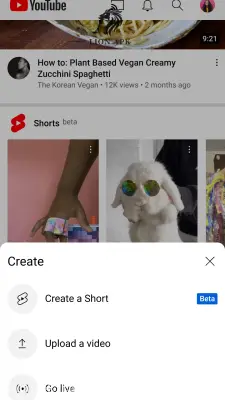


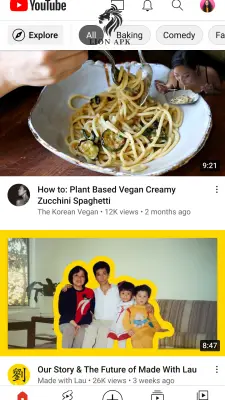
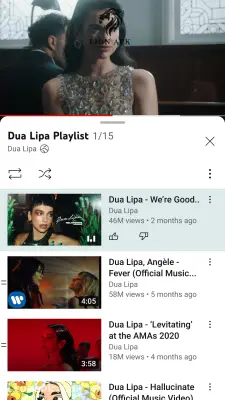
Screenshots from Google Play
More in Entertainment
View all →



Top Downloads in Entertainment
See all →


More by Google LLC


About this app
YouTube is the world's largest and most popular video-sharing and streaming application. It provides a comprehensive platform for users to discover, watch, and upload high-quality video content ranging from educational tutorials and music videos to live gaming streams and short-form entertainment. It serves as a centralized digital library where users can interact with a massive global community of creators.
Why You Need This App Today
In today's digital landscape, video has become the primary medium for learning, entertainment, and staying informed. Whether you are looking for complex programming tutorials, quick cooking recipes, or daily news updates, relying on web browsers for video playback on a mobile device is slow and inefficient.
You need this application because it offers a highly optimized, seamless viewing experience specifically designed for mobile screens. It provides instant access to an endless catalog of content tailored exactly to your interests through intelligent algorithms. It is an indispensable utility for anyone who wants to learn new skills, follow their favorite digital creators, or simply be entertained while on the go.
Top Features of the YouTube Application
This platform dominates the global video streaming category by offering an unmatched variety of content and powerful user tools. Here are the core features:
-
Massive Content Library: Access billions of videos across every conceivable category, from professional documentaries to casual daily vlogs.
-
YouTube Shorts: Scroll through an endless feed of vertical, short-form videos that are perfectly optimized for fast-paced mobile viewing and quick entertainment.
-
Smart Recommendations: The platform utilizes an advanced, AI-driven algorithm that curates a personalized home feed based entirely on your unique viewing history and search habits.
-
Mobile Creator Tools: Easily record, edit, and upload your own videos, or launch a live broadcast directly from your smartphone's camera.
-
Cross-Device Syncing: By logging into your account, you can pause a video on your smartphone and instantly resume playing it from the same timestamp on your smart TV or desktop computer.
How to Use YouTube (Step-by-Step)
Navigating this massive video platform is incredibly intuitive. Follow these steps to start watching:
-
Install and Launch: Download the application from your device's standard app market and tap the icon to open it.
-
Sign In: Log in using your Google account. This is crucial for securely syncing your subscriptions, watch history, and liked videos.
-
Browse or Search: Scroll through your personalized "Home" feed for instant recommendations, or use the magnifying glass icon at the top to search for specific topics or channels.
-
Subscribe to Creators: When you find a channel you enjoy, tap the red "Subscribe" button below their video to easily find their future uploads in your dedicated Subscriptions tab.
-
Watch and Interact: Tap any video thumbnail to start playback. You can use the buttons directly below the video player to like, comment, share, or save the video to a custom playlist.
Pros and Cons of the App
Pros:
-
Offers an unparalleled, entirely free library of video content covering almost any topic imaginable.
-
The user interface is clean, highly responsive, and easy to navigate for users of all ages.
-
The search engine is incredibly powerful, making it easy to find highly specific tutorials or obscure clips.
-
Supports high-definition playback, up to 4K resolution on compatible mobile displays.
Cons:
-
The free version includes frequent and sometimes unskippable video advertisements that interrupt playback.
-
Highly requested features, such as background audio playback (listening while the screen is off) and official offline downloading, are locked behind a paid Premium subscription.
-
Continuous high-definition video streaming consumes a massive amount of mobile data and device battery.










![T20 World Cup 2026 Live Streaming App Pakistan: Best Free Apps to Watch Every Match [Myco, Tamasha, PTV Sports]](https://lionapk.com.pk/uploads/blog/t20-world-cup-2026-live-streaming-app-pakistan-best-free-apps-to-watch-every-mat.webp)