Google Chrome
Get this app from Google Play Store for automatic updates & security. Use APK if Play Store is unavailable in your region or you need an older version.
Screenshots
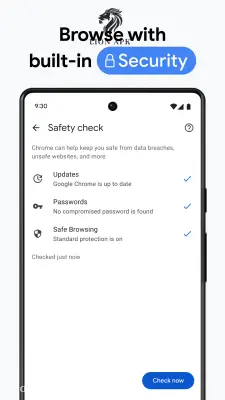
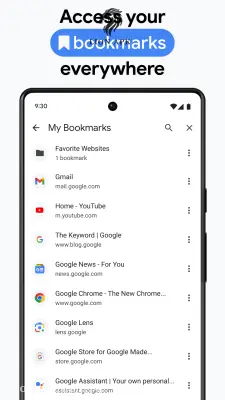
Screenshots from Google Play
More in Action
View all →




Top Downloads in Action
See all →




More by Google LLC

About this app
Google Play / Google Chrome APK Download (Latest Version) – Fast, Safe & Data-Saving Web Browsing
How many times have you tried opening a web page on your phone, only for your browser to stutter, freeze, or swallow your mobile data package in minutes? Or perhaps your pre-installed browser keeps crashing, failing to update through the Play Store, or getting stuck on a frustrating "Download Pending" screen when you need to quickly look up urgent information.
As the world's most popular web browser, the Google Chrome APK offers lightning-fast page loading, built-in Google Translate, and automatic security protection. Downloading the latest standalone Chrome APK directly from LionAPK ensures you can install, update, or recover Google's official browser even if your Play Store is glitching or missing from your device.
Here are the amazing features you will enjoy:
-
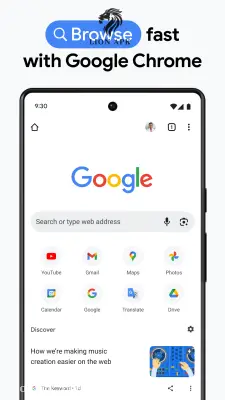
Integrated Google Search & Voice Search: Get instant answers directly from the address bar (Omnibox). Tap the microphone icon to search hands-free or use voice commands in English or Urdu without typing a single word.
-
Google Lens & Visual Search: See something online or in the real world you want to buy or identify? Use built-in Google Lens to scan products, translate foreign signs, or look up images directly from your browser tab.
-
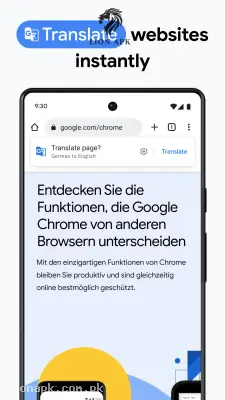
1-Tap Google Translate: Effortlessly read global websites, tech blogs, and international news. Chrome automatically detects foreign languages and translates entire web pages into English or Urdu with a single click.
-
Data Saver & Compressed Browsing: Compress images, text, and heavy scripts transparently in the background to reduce mobile data consumption by up to 60%, stretching your Zong, Jazz, or Telenor 4G package significantly further.
-
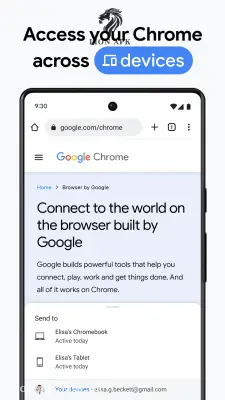
Seamless Cross-Device Synchronization: Sign in with your Gmail account to automatically sync your bookmarks, open tabs, saved passwords, and browsing history between your computer, tablet, and Android phone.
-
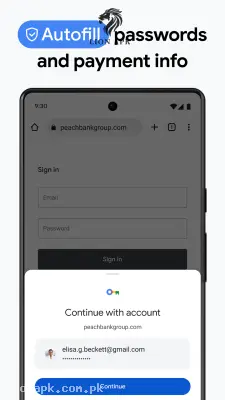
Google Safe Browsing & Password Manager: Receive real-time security warnings before entering suspicious websites or downloading unsafe files. Chrome also securely saves your passwords and auto-fills login forms to save you time.
Step-by-Step: How to Install & Update Google Chrome
If your Play Store is failing to update Chrome or you need to perform a clean manual installation, follow these simple steps:
1. Download the Chrome APK: Official Package.
Click the secure download button below to save the latest file directly to your phone's internal storage.
2.:Settings.
Security" title=" Enable Unknown Sources">
Open your phone's Settings > Security, and switch on Allow Installation from Unknown Sources so your device can install direct APK packages.
3. Locate and Install:
Open your phone's File Manager, enter the Downloads folder, and tap the downloaded Chrome file to begin the installation.
4 . Sign In & Sync:
Launch Google Chrome from your home screen, sign in with your primary Google/Gmail account, and enable synchronization to instantly restore your bookmarks and saved passwords.
Why Choose Google Chrome? (Pros & Benefits)
-
Optimized for All Android Phones: Runs smoothly on budget and mid-range devices (such as Infinix, Tecno, Redmi, Samsung Galaxy, and Itel) without lag or excessive memory consumption.
-
Offline Web Page Downloads: Tap the download button on any article or web page to save it for reading later during travel when you have no active internet connection.
-
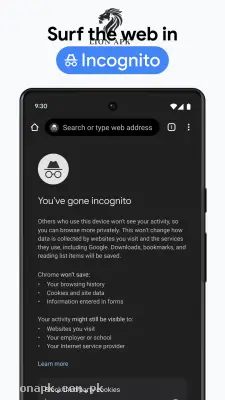
Incognito Private Browsing: Browse the web confidentially without saving your search history, cookies, or site data on your device.
LionAPK Safety Notice: The Google Chrome APK hosted on LionAPK.com.pk is 100% original, untouched, and cryptographically signed by Google LLC. Installing this official file guarantees you get original performance, security patches, and privacy controls without any third-party modifications.
Final Thoughts
Whether you are looking to fix Play Store update errors or simply want a secure, data-efficient browser for daily use, keeping Google Chrome updated on your Android device is essential for a fast web experience.