Telegram
Get this app from Google Play Store for automatic updates & security. Use APK if Play Store is unavailable in your region or you need an older version.
Screenshots
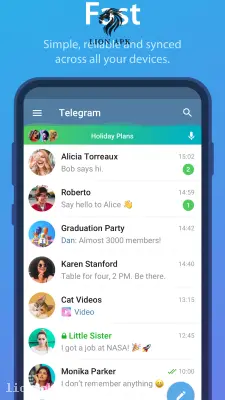
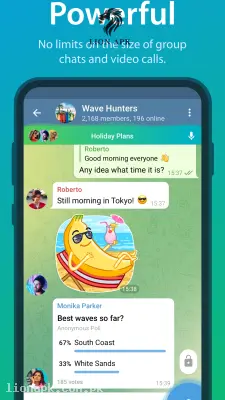
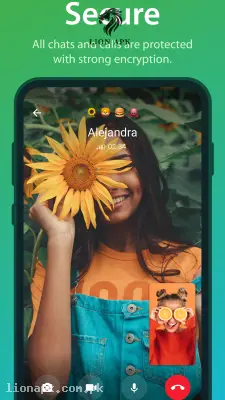
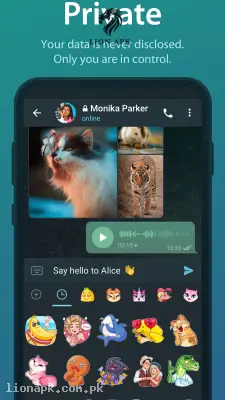
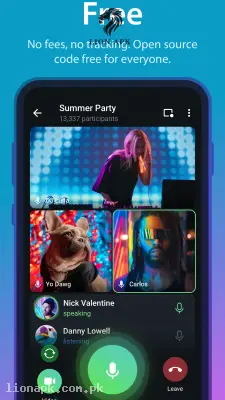
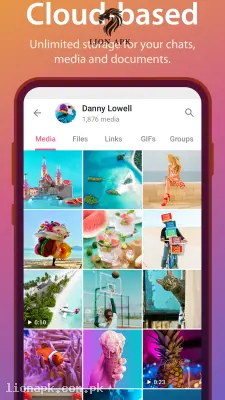
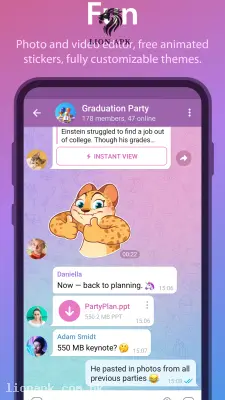
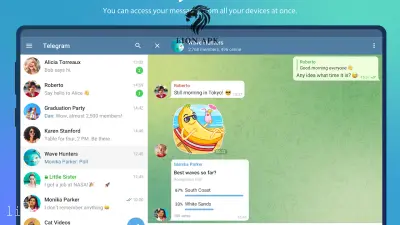
Screenshots from Google Play
More in Action
View all →




Top Downloads in Action
See all →




About this app
We have all experienced the frustration of trying to send a high-quality video or a massive ZIP folder through standard messaging apps, only to have the visual quality completely ruined or the file rejected for being too large. If you are managing heavy digital projects, sharing decompiled software files, or just trying to send a clear tutorial video to your cousin's Infinix Hot 40i without it looking like a blurry mess, you need a messaging platform built for heavy lifting. Telegram is the ultimate cloud-based communication utility that completely removes frustrating file size limits and prioritizes lightning-fast, secure sharing.
Quick Answer: What is the Telegram App?
Telegram is a globally renowned, cloud-based instant messaging application. Unlike standard SMS or basic chat apps, it is built on a highly secure, distributed server network that allows you to sync your messages seamlessly across multiple phones, tablets, and computers at the exact same time. It is famous for its incredible speed, massive group chat capacities, and the ability to send uncompressed media and heavy documents without any quality loss.
Why You Need This App Today
In our fast-paced digital routines, communication tools need to double as file management systems. If your daily workflow involves managing the backend of platforms like lionapk.com.pk, you are constantly handling heavy APK files, organizing developer resources, and coordinating updates. Standard messaging apps simply crash or refuse to send these massive files.
You need this application because it acts as both a messenger and an infinite cloud storage drive. You can literally send a 2GB file directly in a chat, or forward it to your private "Saved Messages" folder to access it later from your laptop. Furthermore, if you are acting as the tech expert and need to troubleshoot a device, the screen-sharing and high-quality video call features make remote assistance incredibly easy. It is an absolute daily necessity that instantly upgrades how you communicate and share heavy digital assets.
Top Features of the Telegram Application
This platform completely dominates the professional messaging category because it offers desktop-level features in a lightweight mobile app. Here are the amazing features you will enjoy:
-
Massive File Sharing: You can share unlimited photos, videos, and any type of document (ZIP, MP3, DOCX) up to 2GB each, completely uncompressed and in their original, perfect quality.
-
Infinite Cloud Storage: Every message, photo, and file you send is securely stored in the cloud. You can log into your account on a new device and instantly access your entire chat history without needing manual backups.
-
Supergroups and Channels: You can create massive community groups with up to 200,000 members, or create one-way broadcasting channels to instantly share news and app updates with an unlimited number of subscribers.
-
Secret Chats: For ultimate privacy, you can start a Secret Chat that uses end-to-end encryption, leaves zero trace on Telegram's servers, and features a self-destruct timer that permanently deletes messages after they are read.
-
Highly Customizable Interface: You have total control over the app's aesthetics. You can change the chat colors, upload custom animated backgrounds, and even organize your busy inbox into neat, swipeable folders.
How to Use Telegram (Step-by-Step)
Setting up your ultimate communication hub is incredibly intuitive. Follow these simple steps to get started:
-
Install and Launch: Download the application and launch it directly from your mobile home screen.
-
Register Your Number: Enter your active mobile phone number to receive a secure SMS verification code.
-
Set Up Your Profile: Type in your name and add a profile picture. You can also create a public "@username" so people can find you without needing your actual phone number.
-
Start Chatting: Tap the pencil icon at the bottom right to start a new chat, create a massive group, or set up a new broadcasting channel.
-
Use Saved Messages: To use the app as a free cloud drive, search for "Saved Messages" in your chat list and forward your heavy files there to securely store them forever!
Pros and Cons of the App
Pros:
-
Incredibly fast and lightweight, running flawlessly even on older or budget-friendly smartphones.
-
Completely free to use with absolutely no annoying banner advertisements in your private chats.
-
The multi-device sync is flawless; you can start typing a message on your phone and finish it on your laptop.
-
The "Saved Messages" feature effectively gives you unlimited, free cloud storage for your heavy files.
Cons:
-
By default, standard chats are heavily encrypted but not fully "end-to-end" encrypted unless you manually activate the "Secret Chat" mode.
-
Because anyone can create public channels, you must be careful to avoid spam groups or channels distributing fake files.
Conclusion
Telegram is an absolute necessity for anyone who is frustrated by the limitations of standard messaging apps. It completely revolutionizes digital communication by blending lightning-fast chat features with massive file-sharing capabilities. You no longer have to worry about your videos losing quality or struggling to send a heavy work document to a colleague. Download the safe application today, create your profile, and experience the ultimate freedom of cloud-based messaging!