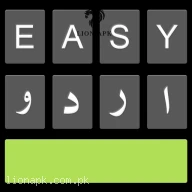
Easy Urdu Keyboard اردو Editor
Get this app from Google Play Store for automatic updates & security. Use APK if Play Store is unavailable in your region or you need an older version.
Screenshots
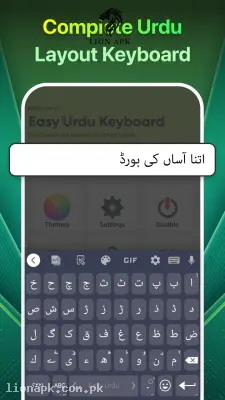
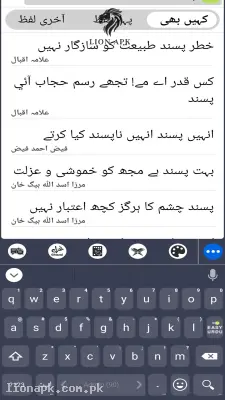
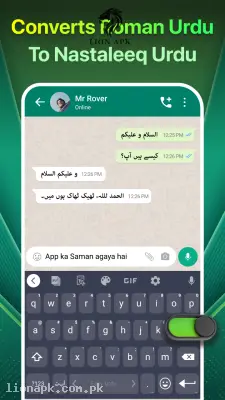
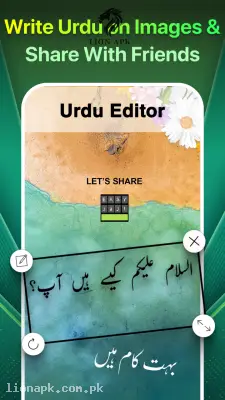
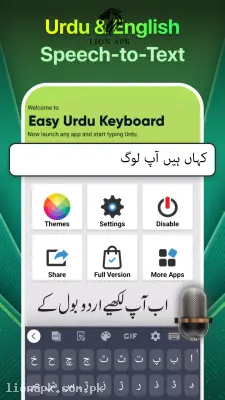
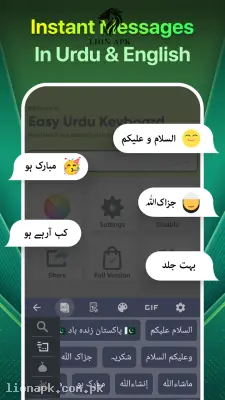
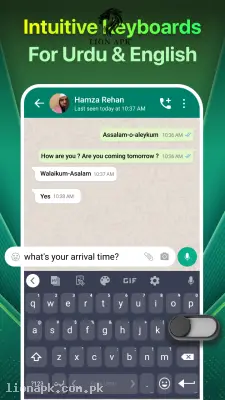
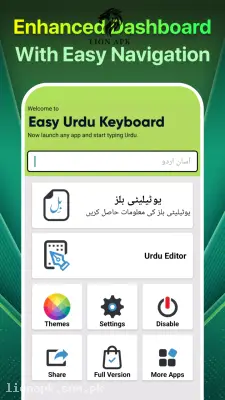
Screenshots from Google Play
More in Tools
View all →



Top Downloads in Tools
See all →



About this app
Easy Urdu Keyboard: Type in Roman Urdu and Watch it Translate Instantly
Do you love chatting with your friends in Urdu, but hate finding those tiny letters on a standard Urdu keyboard? Typing on a mobile phone should be fast and completely stress-free. Easy Urdu Keyboard by Pakdata completely solves this problem. It is the smartest, fastest, and most popular local keyboard application in Pakistan. Let us see why millions of people use it every single day.
What is the Easy Urdu Keyboard App?
Easy Urdu Keyboard is a highly intelligent digital typing tool for your mobile phone. Instead of forcing you to memorize a difficult Urdu layout, this keyboard allows you to type in "Roman English." This means if you type “kya haal hai” using normal English letters, the application will automatically and instantly convert it into beautiful, proper Nastaleeq Urdu text (کیا حال ہے).
It acts as a magical bridge between how you naturally speak and how you write. You do not need to switch back and forth between two different keyboards; it handles both English and Urdu simultaneously with a simple toggle button.
Why You Need This App Today
In our daily lives, we use WhatsApp, Facebook, and Instagram constantly. Suppose you are in an intense multiplayer match of Free Fire with your friends, or maybe you are managing a massive local WhatsApp group for your website, lionapk.com.pk. When you need to send a quick, emotional, or detailed message, typing in pure English sometimes fails to capture the exact local feeling. But struggling to type proper Urdu slows you down.
You need this application because it completely removes that typing friction. You just type exactly how you talk in Roman English, and the app handles the complex Urdu font conversion for you in real time. It is a daily utility that keeps you deeply connected to your culture without slowing down your fast digital lifestyle. Whether you are chatting with family, writing a long Facebook post, or adding text to a photo, this keyboard makes the process incredibly smooth.
Top Features of Easy Urdu Keyboard
This application is dominating the local productivity category because it understands the exact needs of a Pakistani smartphone user. Here are the top features you will enjoy when you install the APK:
-
Instant Roman to Urdu Translation: Just type in simple Roman English, and watch the app automatically convert the words into proper Urdu font. It feels exactly like magic and saves you massive amounts of time.
-
Urdu Voice Typing (Speech to Text): Do not want to type at all? Just tap the microphone icon on the keyboard and speak naturally in Urdu. The AI will listen to your voice and type the Urdu text directly onto your screen flawlessly.
-
Two-in-One Functionality: You do not need to uninstall your regular English keyboard. This app has a simple button right next to the spacebar. Tap it once to type in English, and tap it again to instantly switch to Urdu mode.
-
Built-in Photo Editor: This is a fantastic bonus feature. You can open the app, select a picture from your gallery, and use the keyboard to write beautiful Urdu poetry or quotes directly onto the photo before sharing it on your status.
-
Smart Word Predictions: As you start typing a word, the keyboard suggests the next logical Urdu word at the top of the screen. You can just tap the suggestion to complete your sentence instantly.
-
Works Completely Offline: You do not need an active internet or mobile data package for the basic typing and Roman-to-Urdu conversion to work. It functions perfectly even if you are entirely offline.
How to Set Up and Use the Keyboard (Step-by-Step)
Setting up your new typing experience is incredibly fast. Just follow these easy steps to activate it on your mobile phone:
-
Open the Application: After you install the app, launch it from your mobile home screen.
-
Enable the Keyboard: The app will prompt you to enable it. Tap the button and turn the switch ON for "Easy Urdu Keyboard" in your phone's language settings.
-
Set as Default: The app will then ask you to set it as your main keyboard. Select "Easy Urdu" from the pop-up list.
-
Start Typing: Open WhatsApp or your SMS app. Start typing in Roman English, make sure the "Easy Urdu" toggle above the keyboard is turned ON, and watch the words convert automatically!
Pros and Cons of the App
Pros:
-
Incredibly fast and accurate Roman-to-Urdu conversion.
-
The voice typing feature is highly responsive and understands local accents perfectly.
-
Very lightweight, meaning it runs smoothly even on older budget smartphones.
-
Allows you to easily write beautiful Urdu text directly onto your personal photos.
Cons:
-
The free version contains pop-up advertisements when you open the main settings app.
-
The autocorrect feature in pure English mode can sometimes be a bit aggressive.
Conclusion
The Easy Urdu Keyboard is an absolute necessity for anyone living in Pakistan or communicating with Urdu speakers globally. It completely changes how you interact with your smartphone by making typing in your native language as fast and effortless as typing in English. You no longer have to struggle with finding the right letters or sounding unnatural in your chats. Download the safe application today, switch on the Roman Urdu mode, and start expressing yourself perfectly!