MX Player
Get this app from Google Play Store for automatic updates & security. Use APK if Play Store is unavailable in your region or you need an older version.
Screenshots
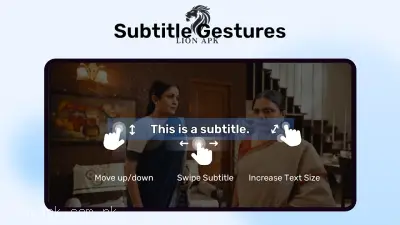
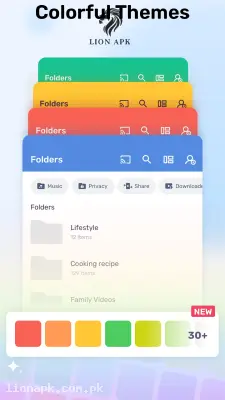
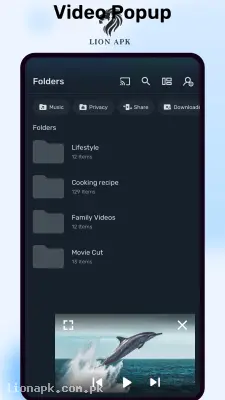
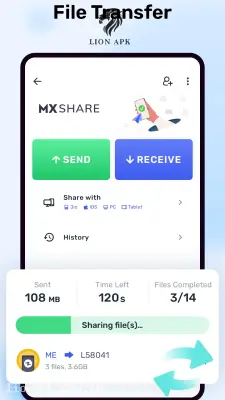
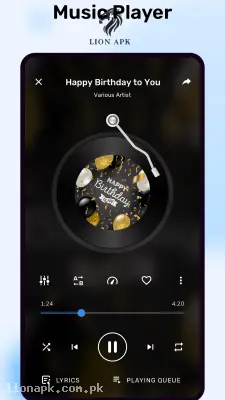
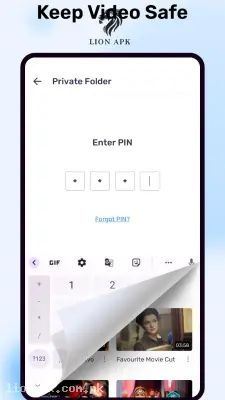
Screenshots from Google Play
More in Action
View all →




Top Downloads in Action
See all →About this app
We all love watching downloaded movies or heavy video tutorials on our phones, especially when the internet suddenly drops or the power goes out. However, if you try to open a massive, high-definition MKV movie file on a standard, budget-friendly device like an Infinix Hot 40i, the default system gallery player often stutters, loses audio sync, or simply refuses to play the file at all. When you just want to relax and watch a video without dealing with constant "format not supported" errors, you need a third-party media powerhouse. MX Player completely solves this problem by turning your smartphone into a flawless, cinema-grade portable theater.
Quick Answer: What is the MX Player App?
MX Player is the most powerful and widely used offline video playing application for Android devices. It is designed to play absolutely every single video and audio format you can download, including heavy 4K files, without any lagging. It uses advanced hardware acceleration and multi-core decoding to take the heavy lifting off your phone's processor, ensuring perfectly smooth playback while giving you incredibly smart gesture controls over your screen.
Why You Need This App Today
In our daily routines, a reliable offline media player is a lifesaver. If your daily digital workflow involves downloading massive video courses—like learning how to decompile APKs or modify AdMob unit IDs—you need a video player that allows you to zoom into the screen to read tiny lines of code clearly.
Furthermore, if you are busy standing in the kitchen prepping a high-protein chicken and lobia meal, your hands are likely messy. You need this application because its smart gesture controls let you turn up the volume or increase the screen brightness with just a single swipe of a finger on the edge of the screen, without having to pause the video or mess with tiny buttons. It is an absolute daily necessity that instantly upgrades your mobile entertainment and learning experience.
Top Features of the MX Player Application
This application completely dominates the media category because it provides desktop-level playback tools in a highly optimized mobile app. Here are the amazing features you will enjoy:
-
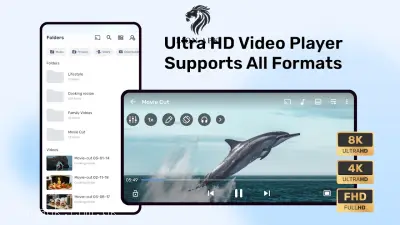
Universal Format Support: Forget about converting files. Whether it is an MP4, AVI, MKV, or FLV, this app plays every single video format flawlessly straight out of your downloads folder.
-
Advanced Hardware Acceleration: Using the built-in HW+ decoder, the app forces your phone's graphics chip to process heavy videos, keeping your phone cool and preventing your battery from draining too fast.
-
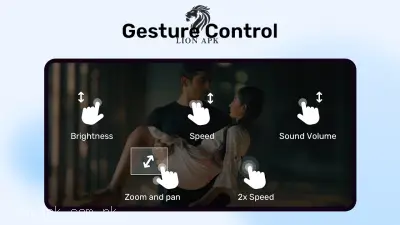
Smart Gesture Controls: You have total control without pressing buttons. Swipe up on the right side of the screen for volume, swipe up on the left for brightness, and swipe left or right across the middle to skip forward or backward.
-
Pinch to Zoom and Pan: If you are watching a tutorial or a movie with a tiny hidden detail, you can literally pinch your screen to zoom directly into the video while it is still playing.
-
Kids Lock Screen: If you hand your phone to your younger cousin to watch a cartoon, you can tap the lock icon. It completely disables the screen touch controls, so they cannot accidentally exit the app or delete your files.
How to Use MX Player (Step-by-Step)
Setting up your ultimate video player takes only a few seconds. Follow these simple steps to start watching your heavy files:
-
Install and Launch: After downloading the app, launch it directly from your mobile home screen.
-
Grant Storage Access: The app will politely request permission to access your media files. Tap "Allow" so it can successfully scan your phone for videos.
-
Browse Your Folders: The main dashboard automatically organizes all your videos into neat folders (like "Downloads," "WhatsApp Video," or "Camera").
-
Play and Swipe: Tap any video to start playing. Try swiping your finger up and down on the edges of the screen to test the smart volume and brightness controls.
-
Add Subtitles: If you downloaded a movie in another language, tap the three dots at the top right, select "Subtitles," and load your downloaded SRT text file to see the translation on screen!
Pros and Cons of the App
Pros:
-
Plays incredibly heavy, high-definition video formats that instantly crash default Android gallery players.
-
The swipe gesture controls are the most intuitive and responsive of any mobile video player.
-
Perfectly supports downloading, syncing, and customizing the color and size of movie subtitles.
-
The multi-core decoding feature makes older, budget smartphones run videos much more smoothly.
Cons:
-
The free version of the application contains highly intrusive pop-up advertisements every time you pause or close a video.
-
The user interface of the main folder dashboard looks a bit outdated compared to modern streaming apps.
Conclusion
MX Player is an absolute necessity for anyone who downloads and watches offline videos on their smartphone. It completely changes your mobile viewing experience by removing all format restrictions and putting intuitive, smart gesture controls right at your fingertips. You no longer have to suffer through videos with lagging audio or struggle to see the screen clearly. Download the safe application today, load up your favorite movies or tutorials, and enjoy the ultimate offline playback experience!