CapCut
Get this app from Google Play Store for automatic updates & security. Use APK if Play Store is unavailable in your region or you need an older version.
Screenshots

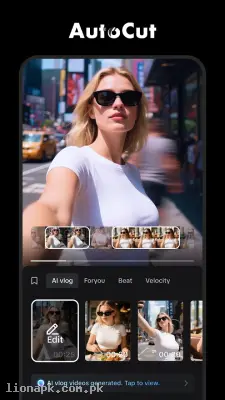
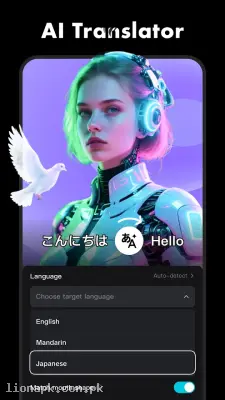
Screenshots from Google Play
More in Photography
View all →




Top Downloads in Photography
See all →More by Bytedance Pte. Ltd.
About this app
CapCut - Video Editor: Create Viral Videos on Your Phone
Do you want to edit amazing videos but do not have a heavy-duty computer? CapCut is the free, simple, and powerful video editor that everyone is using to create viral content right from their mobile phone.
What is CapCut?
CapCut is an all-in-one video editing application designed for Android and iOS mobile phones. It is the official free video maker for TikTok, which means it has all the trending tools you see on social media.
In the past, making a good video required complex software on a laptop. Now, CapCut has brought professional studio tools into the palm of your hand. Whether you want to cut a simple video of your family, make a beautiful WhatsApp status, or create a fast-paced gaming montage, this application gives you everything you need in a very simple layout.
Why You Need This App Today
Today, everyone is a creator. We love taking videos with our mobile cameras, but raw videos often look boring. You might want to add a trending background song, put some stylish text on the screen, or join two different clips together.
CapCut is a daily utility for the modern mobile user. It perfectly understands the short-video culture. If you see a trending video style on the internet and want to make your own version, CapCut has the exact tools to do it in minutes. It saves you from the frustration of learning difficult editing software. It makes video editing a fun, creative, and highly rewarding experience for anyone, regardless of their skill level.
Top Features of CapCut Video Editor
This application is famous worldwide because it offers premium features completely for free. Here are the top tools that make it the best video editor on the market:
-
Trending One-Click Templates: This is the most popular feature. You do not even need to know how to edit. Just go to the template section, pick a trending video style, select your own photos or videos from the gallery, and the app will automatically edit the video to match the music beats.
-
Basic and Advanced Editing: You can easily trim, split, and merge your video clips. If you want to go deeper, you can adjust the speed of the video to make slow-motion clips or use the reverse function for funny effects.
-
Smart AI Tools: CapCut uses advanced Artificial Intelligence. You can remove the background of any video with just one tap—no green screen needed. It also has an auto-caption feature that listens to the voice in the video and automatically writes the text on the screen.
-
Rich Music and Sound Library: Finding good background music is always a headache. CapCut provides a massive library of free music, sound effects, and trending TikTok songs. You can also extract audio from any video in your gallery and use it in your project.
-
Filters, Effects, and Transitions: Want your video to look like a cinematic movie or a retro 90s tape? The app has hundreds of high-quality filters and magical video effects like glitch, blur, and 3D zoom. You can also add smooth transitions between your clips.
-
High-Quality Export: When your editing is done, CapCut allows you to save the video in crystal clear quality. You can export your final project in full HD 1080p or even stunning 4K resolution at 60 frames per second.
How to Use CapCut (Step-by-Step)
You will be surprised by how easy it is to start editing. Just follow these simple steps:
-
Start a Project: Open CapCut and tap the big "New Project" button at the top of the screen.
-
Select Your Media: Choose the photos or video clips from your mobile gallery that you want to edit and tap "Add".
-
Edit and Trim: Tap on your video clip on the timeline below to cut out the parts you do not want or to change the video speed.
-
Add Magic: Use the bottom menu bar to add text, stickers, effects, or pick a background song from the "Audio" section.
-
Save and Share: Once you are happy with the video, tap the arrow icon at the top right corner. The video will save directly to your phone gallery, ready to be shared with friends.
Why Download from lionapk.com.pk?
Video editing applications can be large files, and downloading them from unknown places can harm your mobile device. By downloading CapCut from our website, lionapk.com.pk, you are guaranteed a fast, secure, and original APK file. We provide clean download links so you get the complete editing experience without any viruses or fake updates. You will always find the most recent version here to enjoy all the new trending effects.
Pros and Cons
Pros:
-
Very easy to understand for beginners.
-
Completely free with no mandatory watermarks.
-
Amazing one-click templates save a lot of time.
-
Excellent AI tools like auto-captions and background removal.
-
Connects directly with social media platforms for easy sharing.
Cons:
-
Exporting high-quality 4K videos can take time on older mobile phones.
-
The application can consume a lot of battery during heavy editing.
Conclusion
CapCut - Video Editor is an essential application for anyone who loves capturing moments on their mobile phone. It totally changes the way you look at video editing by making it simple, fast, and free. Whether you are creating a simple photo slideshow with music for your family or a high-quality reel for your followers, CapCut provides all the professional tools you need in one place. Download the app today and start turning your everyday videos into amazing visual stories.